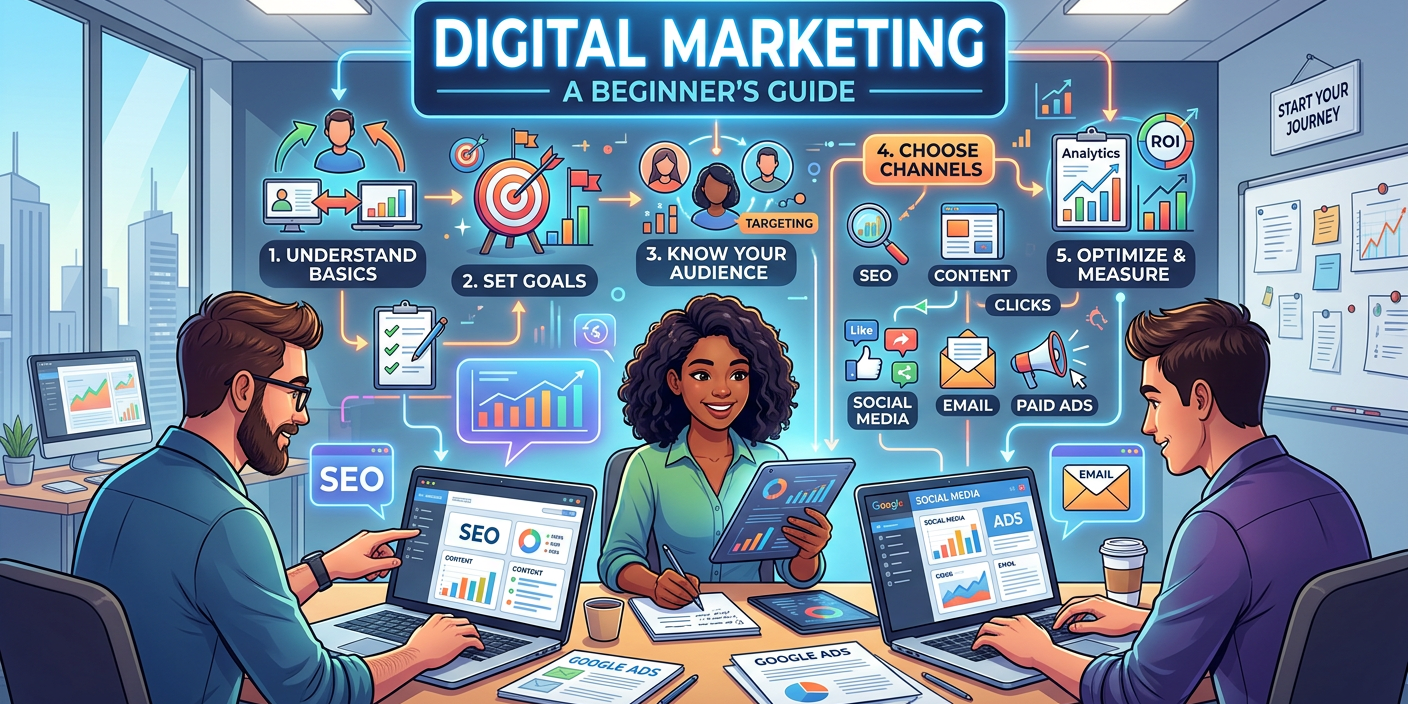
Digital marketing is an important part of growing a business online. Whether you own a small business, run a blog, or manage social media accounts, digital marketing helps you reach more people and share your products or services.
However, creating content, designing images, writing captions, and managing social media can take a lot of time. For beginners, these tasks may also feel difficult.
This is where Artificial Intelligence (AI) can help. AI tools can make digital marketing easier by helping you write content, create images, plan social media posts, and find new ideas. Many AI tools offer free versions, which means you can start learning digital marketing without spending money.
In this blog, we will explore some of the best free AI tools for digital marketing, how they work, and how beginners can use them.
1. ChatGPT – Create Content and Marketing Ideas
ChatGPT is an AI tool that helps you create written content. It can understand your questions and provide answers, ideas, and suggestions.
For digital marketers, ChatGPT can be useful for writing blog posts, social media captions, product descriptions, and email content.
How can you use ChatGPT?
You can use ChatGPT to:
- Generate blog topic ideas.
- Write social media captions.
- Create product descriptions.
- Prepare email marketing drafts.
- Find keywords and content ideas.
- Create content calendars.
For example, if you run a baby products business, you can ask ChatGPT: “Give me 10 Instagram post ideas for a baby products business.” ChatGPT can provide different ideas that you can use to plan your content.
You can also ask it to explain digital marketing topics in simple language.
2. Canva – Create Beautiful Marketing Designs
Canva is a popular design tool that helps people create attractive images without needing professional design skills. It offers free templates and design features that are useful for digital marketing. You can create social media posts, Pinterest Pins, posters, presentations, and marketing graphics.
Canva also includes AI-powered features that can help with writing, designing, and editing content. Some AI features are available only with paid plans or limited free usage.
How can you use Canva?
You can use Canva to:
- Design Instagram posts.
- Create Pinterest Pins.
- Make YouTube thumbnails.
- Design blog images.
- Create marketing posters.
- Prepare simple presentations.
For example, if you write a blog about home organization, you can create a Pinterest Pin with the title “10 Simple Home Organization Ideas.”
You can choose a free template, add your title, and create an attractive design.
3. Google Gemini – Research and Content Planning
Google Gemini is an AI assistant that can help you find ideas, understand topics, and plan marketing content. It is useful when you need inspiration or want to learn about a subject before creating content.
How can you use Google Gemini?
You can use Gemini to:
- Generate marketing ideas.
- Create blog outlines.
- Understand customer needs.
- Prepare social media content.
- Summarize information.
- Plan marketing campaigns.
For example, you can ask:
“What are 10 blog topics about affordable home decor for beginners?” Gemini can suggest different topics that you can use for your blog. You can also ask it to create a simple content plan for your website.
Remember to check important facts before publishing. AI-generated information may sometimes be incorrect or outdated.
4. CapCut – Create Marketing Videos
Video content is becoming an important part of digital marketing. Businesses use short videos to promote products, explain services, and connect with customers.
CapCut is a video editing tool that offers features for creating and editing videos. It also includes AI-powered features, although availability may vary by device, region, and plan.
How can you use CapCut?
You can use CapCut to:
- Edit short marketing videos.
- Add captions and subtitles.
- Create Instagram Reels.
- Prepare TikTok videos.
- Edit YouTube Shorts.
- Add text and music to videos.
For example, if you have a small clothing business, you can create a short video showing different outfits. You can add text such as “Affordable Outfit Ideas for Everyday Life” to make the video more interesting. CapCut can help you edit the video and make it ready for social media.
5. Microsoft Designer – Create AI Marketing Images
Microsoft Designer is an AI-assisted design tool that can help you create visual content. Images are important in digital marketing because they help attract attention and make content more interesting.
How can you use Microsoft Designer?
You can use it to:
- Create marketing images.
- Design social media graphics.
- Generate visual ideas.
- Prepare promotional content.
- Create simple designs for online businesses.
For example, you can describe a beautiful living room with modern furniture and use AI-assisted design features to create an image for your home decor blog.
You can then use the image in your marketing content, depending on the tool’s available features and usage terms.
Conclusion
You do not need to learn everything at once.
Start with two or three tools that match your goals. For example, use ChatGPT for content ideas, Canva for designs, and Google Trends for topic research. As you gain experience, you can explore more tools and improve your digital marketing skills.
The best way to learn is to start creating. With regular practice, useful content, and the right AI tools, you can build your digital marketing knowledge and work towards growing your blog or online business.
Also Read – Top 10 Best Dental Marketing Agencies in India 2026